Betterday
A Chrome extension that fills the long, repetitive steps of a Workday job application from a saved profile — plus a GSAP/Three.js marketing site built to match the extension's own design system.
A Chrome extension that saves your details once and fills the long, repetitive steps of a Workday job application for you — My Information, My Experience, even the diversity survey and an employer's own custom screening questions, however they worded them. Click Fill on whichever step you're on; it detects the step, writes the values, and outlines every field it touched so review takes seconds. It never submits or navigates anything on its own.
Live on the Chrome Web Store. The marketing site and extension source are both public.
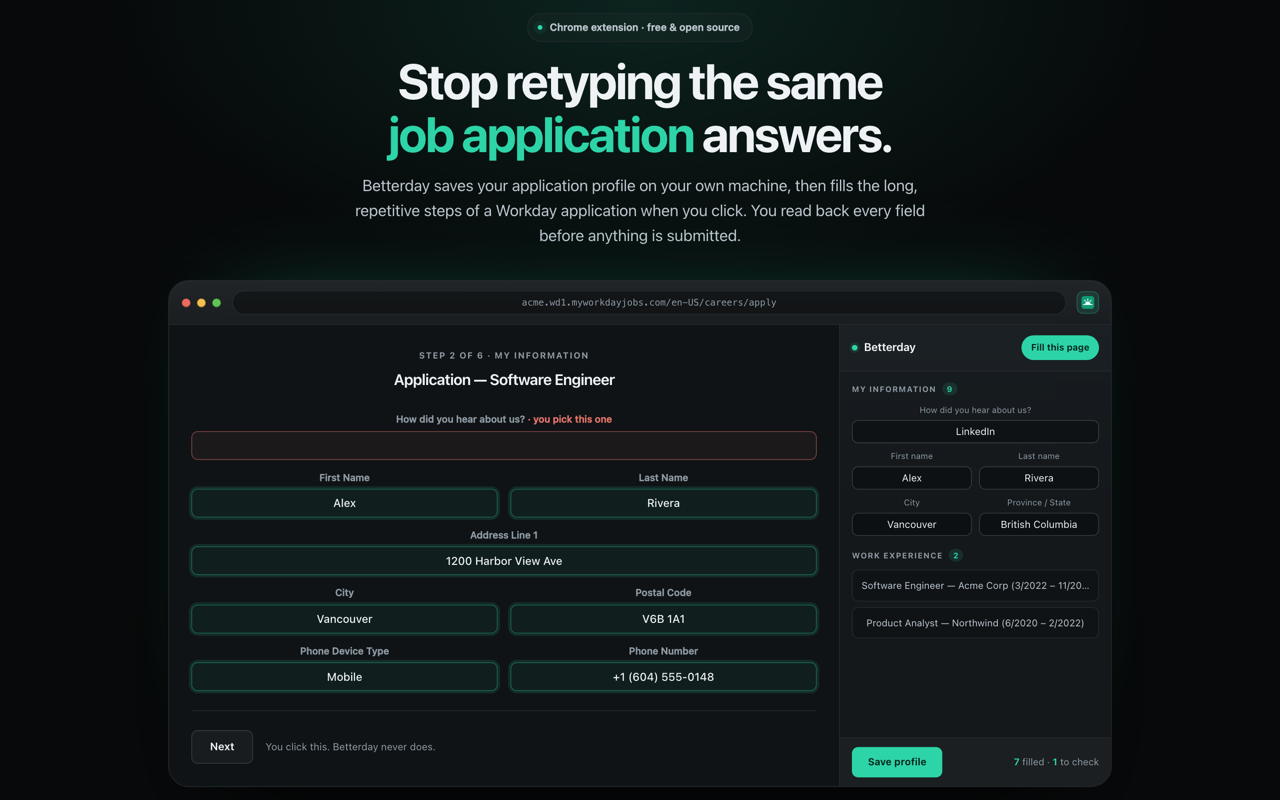 Click Fill on whichever step you're on — every field it touched is outlined right on the page, so review takes seconds.
Workday is a React SPA with no standard name or autocomplete attributes, so Chrome's built-in autofill can't touch it — every field has to be found by its data-automation-id, and those ids drift between tenants badly enough that a real careers site had none of the ones taken from reference implementations. Most of the actual engineering here is a resolution order that degrades gracefully when a tenant doesn't match the reference shape: exact automation-id → id prefix/substring → visible label or heading text. The visible-text stages are what make an unknown tenant work at all.
It ships with its own marketing site — a single scroll-driven page (GSAP ScrollTrigger, a Three.js sky) that lifts its palette and type scale directly from the extension's own popup CSS, so the pitch and the product share one design system.
The fill itself
Filling a page is not instant — every typeahead costs a search round-trip, every added Work Experience entry costs a re-render — so a full-page progress view covers the page while it runs: which step and section it's in, a live count of fields filled, and a log of the actual values landing ("Education 2: University of San Carlos", not "working…"). It lives in its own shadow root, which is a correctness measure and not a style choice: the fill finds fields by scanning the document for label text and headings, and an overlay in the ordinary DOM would put its own words directly in the path of those scans.
Typeahead fields (School, Field of Study, Skills) search Workday's own taxonomy through its real UI — typed character-by-character with real key events, because Workday's multiselect keys its lookup off keyboard events and a single synthetic input event filters nothing. An exact text match is always preferred over whatever Workday itself pre-highlights as its best guess, which is frequently a longer, over-qualified variant of what was typed.
Getting it right against real tenants
Every fix in this codebase traces back to a real tenant's markup, not a guess — pasted DOM, a console error, or a live bug report. A sample of what that turned up:
- A dropdown's button gets remounted by Workday's own component library the instant an option is clicked, including reselecting the value that's already correct — so marking a captured button reference marks a node that's already been discarded. Fixed by re-resolving the field live, right before marking it.
- Blurring a text field to trigger validation queues a React re-render that replaces the input's DOM node — and on a real tenant that replacement lands after the highlight mark already ran synchronously. Fixed by deferring the mark until after React's queued update actually flushes.
- Typing "Computer Science" matched "Accounting and computer science" instead of the real option, because that decoy contained the typed text just as much as the real match did, and was often the only row left after filtering. Fixed by requiring at least a startsWith match before committing anything.
- A tenant's Degree dropdown offered "Bachelors" and "Masters" — no "Degree" suffix, no apostrophes — so a saved value like "Bachelor's Degree" matched nothing. Fixed with a ranked fallback (ignore punctuation → shortest containing option → longest contained option) that also refuses to guess when nothing plausible exists.
Each of these is pinned by a regression test built from the fixture that exposed it — 35+ suites in total, run against jsdom harnesses that reproduce the actual tenant markup rather than an idealized page.
Design
Near-monochrome graphite surfaces carry the interface, with exactly one saturated hue — jade — spent on the few things that actually mean something: the primary action, the active field, and whatever a fill just touched on Workday's own page. All of it is CSS custom properties in one file, so the palette changes in one place. The one deliberate exception is the progress overlay, which redeclares the tokens inside its own shadow root — a var() there would resolve against Workday's :root, not the extension's.
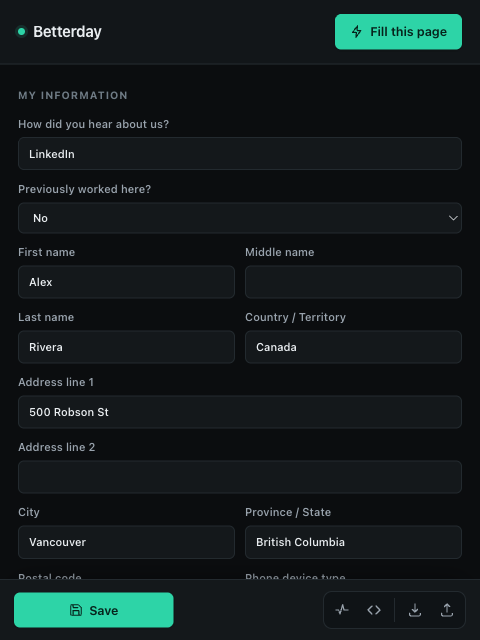 Save your details once, in a side panel that stays open while you work.
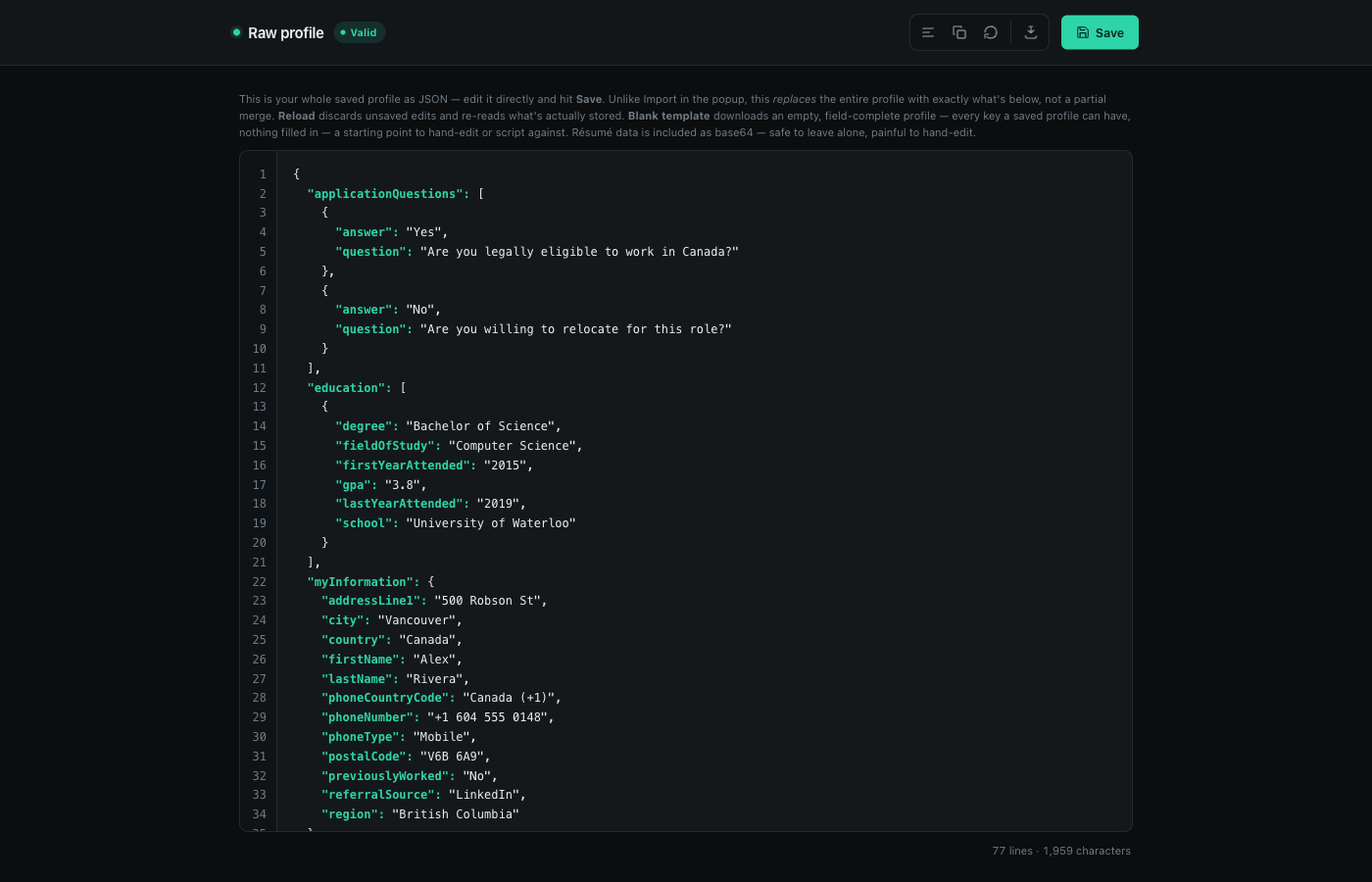 Prefer raw JSON? There's a proper editor for that too — syntax highlighting, line numbers, and a blank template to download.
Stack
JavaScript Chrome Extension (Manifest V3) chrome.storage.local jsdom (tests) — extension. Next.js GSAP Three.js — marketing site.